
Homeowner 3D - 3D Games
plays: 1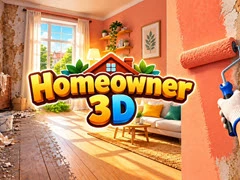
📢 Share This Game
📄 Homeowner 3D Description
Homeowner 3D is a free 3D game that you can play at U-FreeGames.com. It has been played
1 times.
Step into the cozy world of property restoration with Homeowner 3D, a relaxing first-person design and cleaning simulator. Each assignment starts with hands-on cleanup: removing trash, scrubbing grimy surfaces, and tearing down broken, outdated fixtures to clear out the room.
With the site cleaned up, you step into the role of a creative interior decorator. Roll fresh paint onto bare walls, line up vibrant wallpaper, swap out old flooring, and place catalog furniture to complete customer requests. Earning money from completed jobs allows you to buy new personal properties, add cute pets, and gradually unlock bigger goals across your renovation career in Homeowner 3D.
If you like this game and want to play similar cool free games, just go to the
3D Games, Other Games category.
🎮 How to Play
- Movement: WASD to walk, Left Shift to sprint
- View Angle: Move mouse to look around
- Clean & Dismantle: Hold Left Mouse Button (LMB)
- Interactions: Press E for doors, laptop, and van
- Tools & Shop: F to equip tool, Tab for furniture tablet
- Item Placement: Q/E or Mouse Wheel to turn furniture, LMB to drop
Mobile Controls:
- Navigation: Bottom-left joystick to walk, drag screen to pan view
- Action Button: Hold bottom-right button to scrub, dismantle, or open doors
- Catalog & Tools: Tap top-left cart icon for store; select mop, roller, or tiles from tool bar
- Item Adjustments: Touch arrows to rotate furniture, tap checkmark to place
FAQ
A: Check dark corners, behind open doors, and under removable furniture. Scanning floor surfaces and wall corners while holding down your action button ensures every piece of dirt is cleaned.
Q: How do I open the furniture catalog during a renovation assignment?
A: Press the Tab key on PC to bring up your in-game tablet, or tap the shopping cart icon in the top-left corner of the touchscreen on mobile devices.
Q: Is Homeowner 3D playable on mobile touchscreen devices as well as desktop computers?
A: Yes, Homeowner 3D supports both desktop and mobile platforms with customized layout options, including full mouse/keyboard inputs and virtual touch controls.